
Send Your Research from Explore to Plan
The primary objective of this initiative is to bridge the gap between the research and planning phases of the media workflow. Currently, media planners using Explore for audience and media research often face the manual burden of recreating those findings when they transition to the Plan product.
It aims to create a seamless, automated hand-off that allows planners to immediately begin their planning process with all their research data pre-loaded (Audience and Media Vehicles), thereby reducing manual effort and potential for error.
The following enhancements have been implemented to facilitate the seamless transfer of data from Explore to Plan:
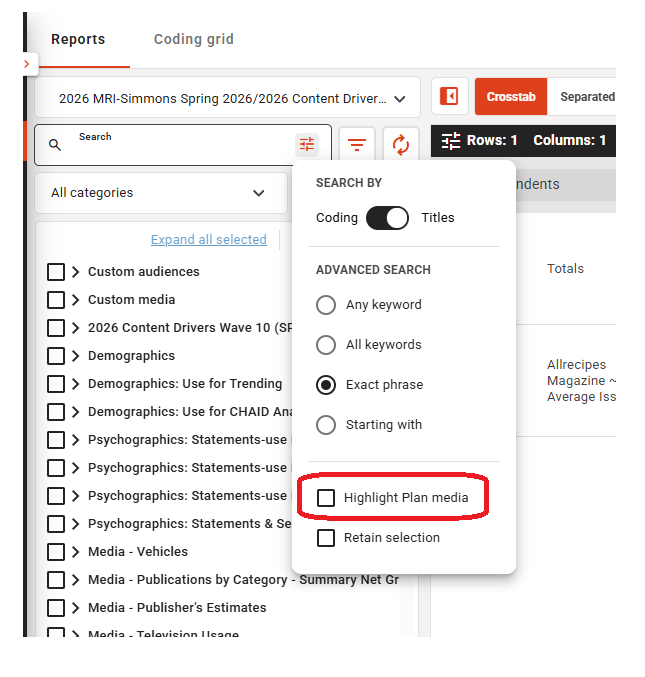
- Select Highlight Plan media in Explore to highlight vehicles that can be sent to Plan
- Automated Campaign Creation: A new "Send to Plan" CTA in Explore triggers the automatic launch of Plan 2.0 and creates a new campaign.
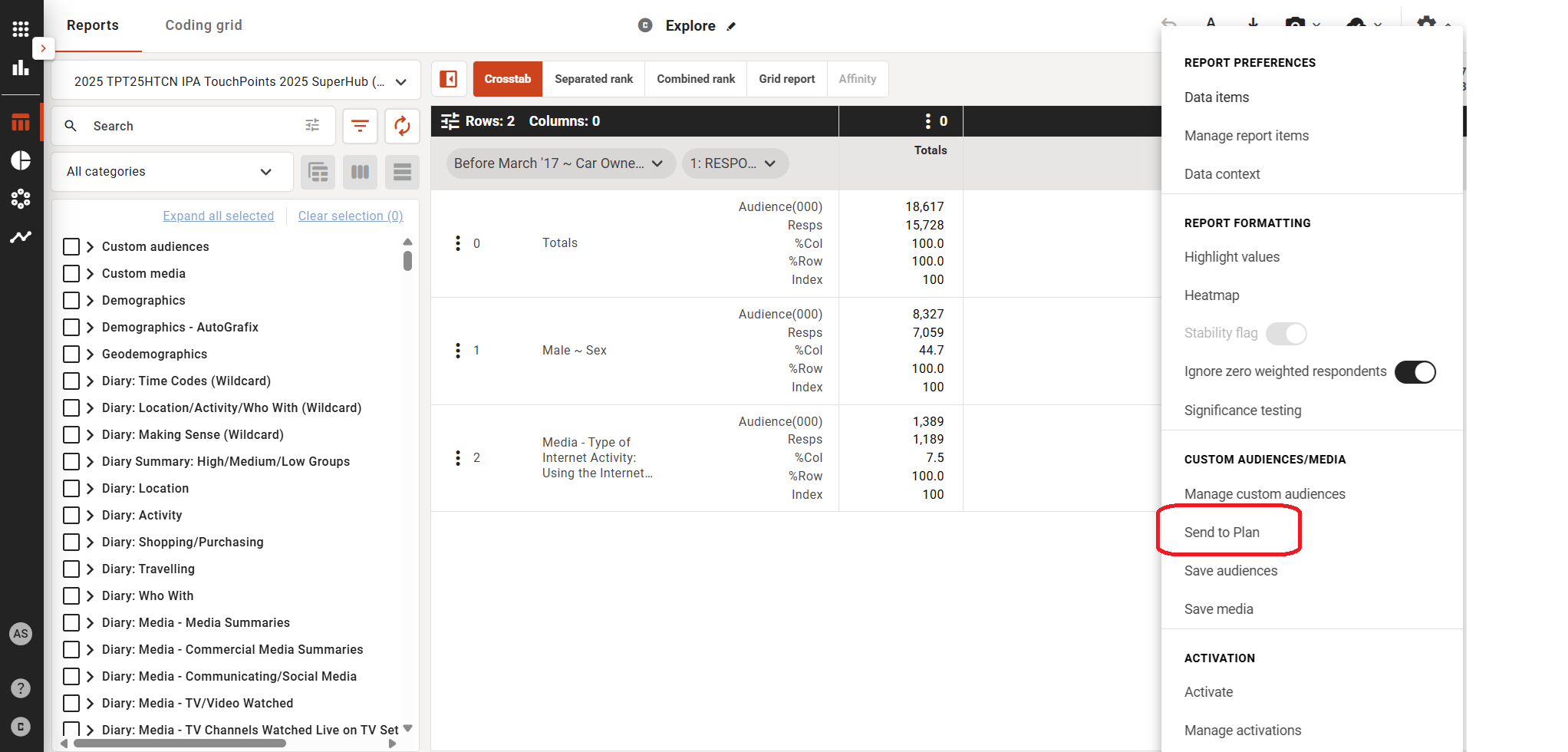
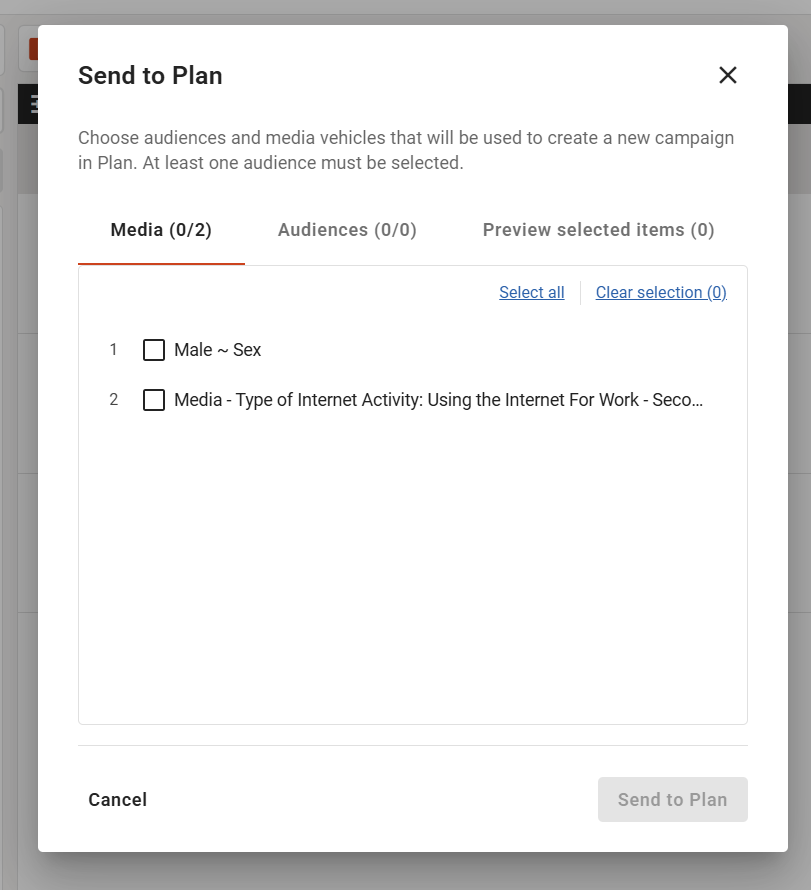
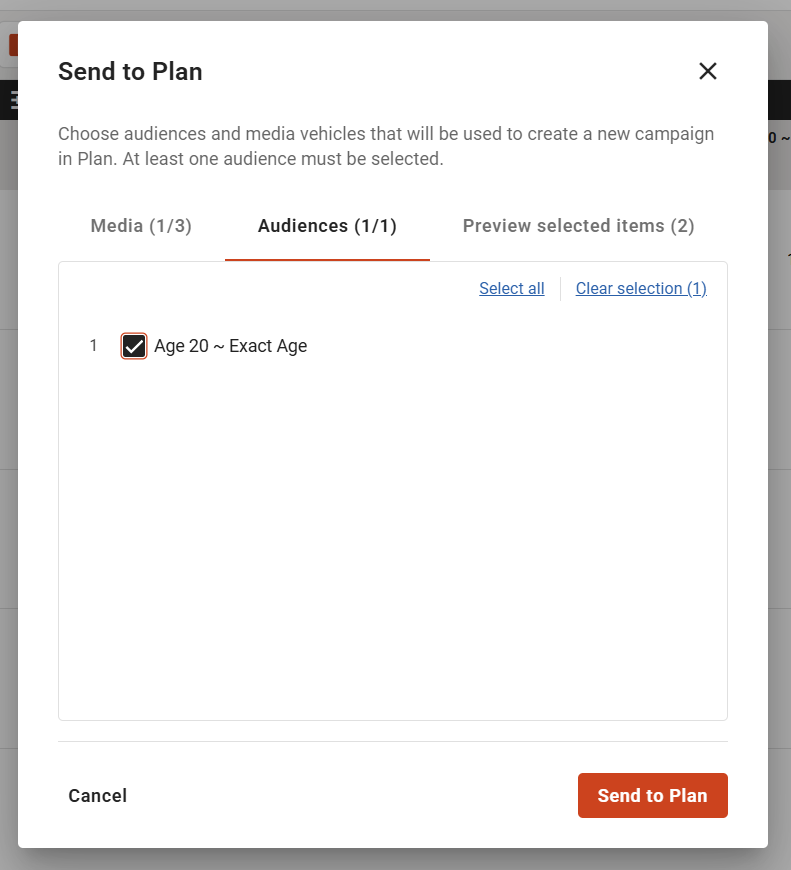
- Comprehensive Data Import:
- Audiences: Custom audiences defined in Explore are automatically imported as target audiences in Plan.
- Media: Custom media selections from Explore are pre-populated within the Media tab in Plan.
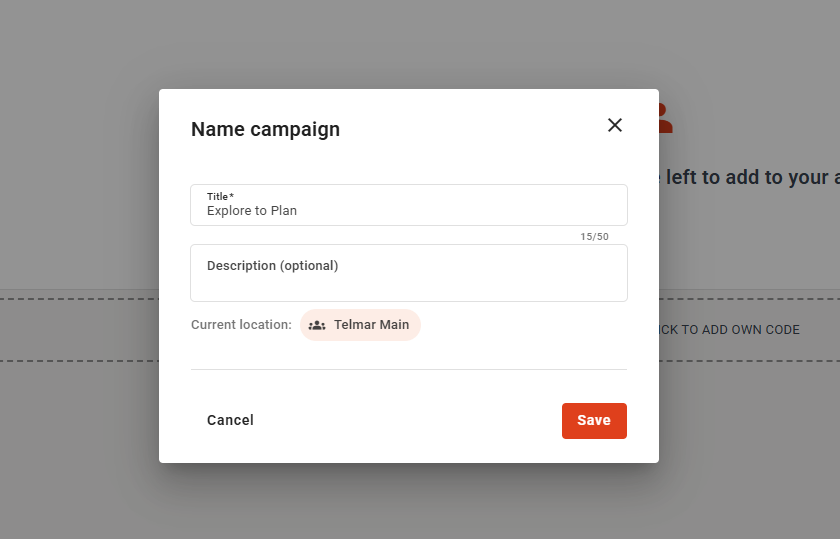
- Metadata: The campaign name and description entered in Explore are auto-populated in the Plan "Save As" modal.
- Optimized Landing Experience:
- Upon transfer, users land directly on the Audience tab in Plan 2.0.
- Both the Audience and Media tabs are enabled and pre-populated.
- The Spot tab is also enabled to ensure the planner can move straight into scheduling.
- Validation & Compatibility: The "Send to Plan" functionality includes a check to ensure the selected survey in Explore is compatible with Plan; the button is dynamically disabled if the survey is not supported.
- Seamless Access: SSO functionality has been extended to ensure the transition between Explore and Plan is secure and requires no additional login steps for the use