Spot Planning
- A user can add spots on the Plan tab without entering impressions or GRPs.
- After adding spots, the relevant vehicle’s impressions and GRPs update on the Plan tab.
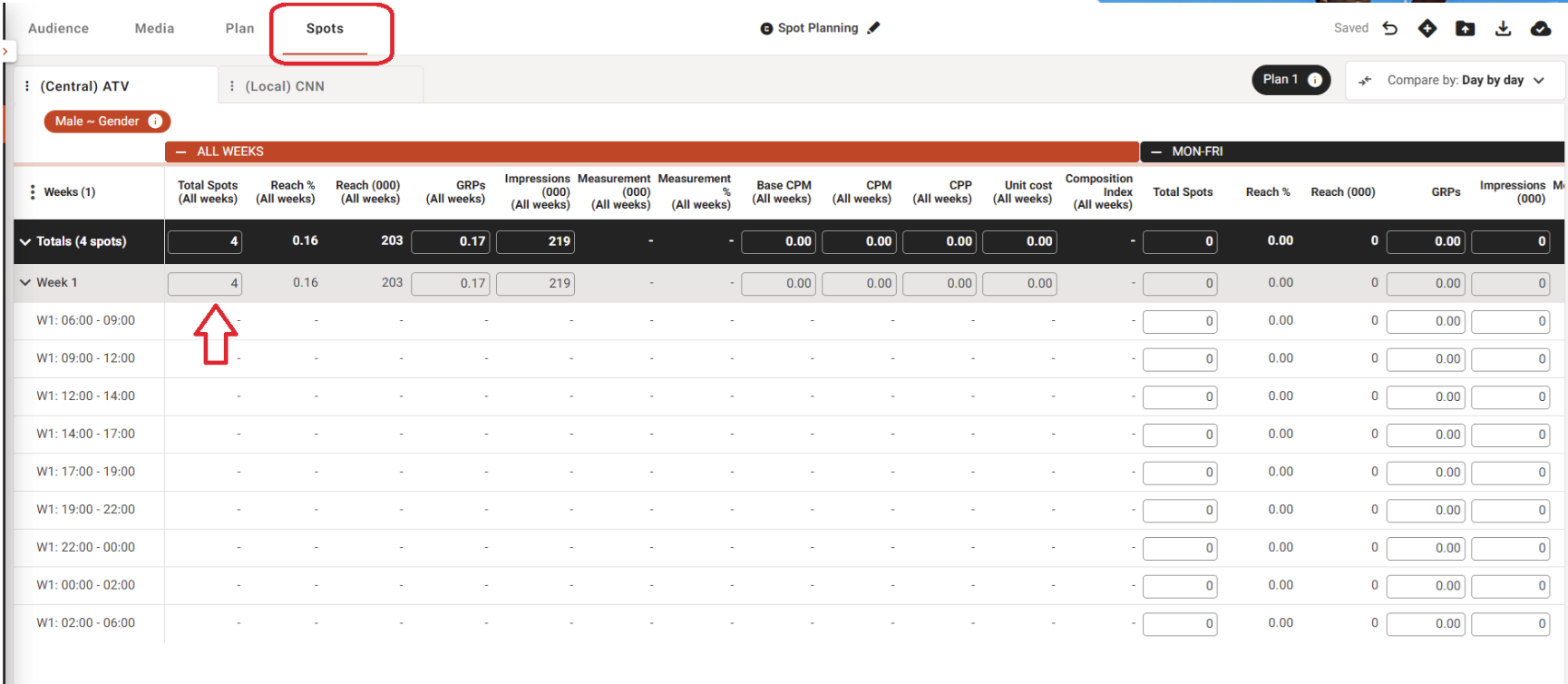
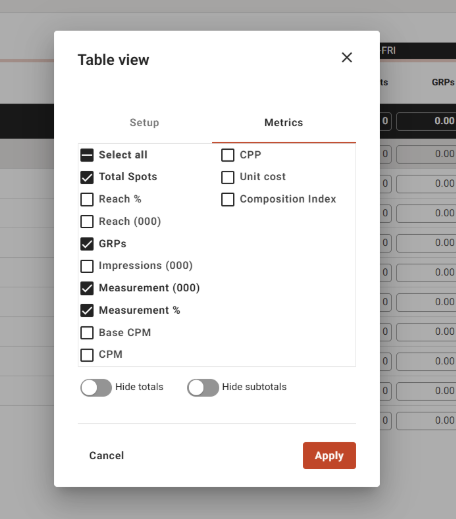
Additional Metrics available for Spot Planning
- The following metrics were added to the Spot Planning screen:
- Total Spots
- Reach %
- Reach (000)
- GRPs
- Impressions (000)
- Measurement %
- Measurement (000)
- Base CPM
- (Target) CPM
- Unit Cost
- (Target) CPP
- Composition Index
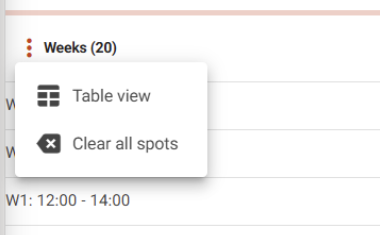
- Clear all spots by clicking the kebab menu next to the ‘Weeks’ column.
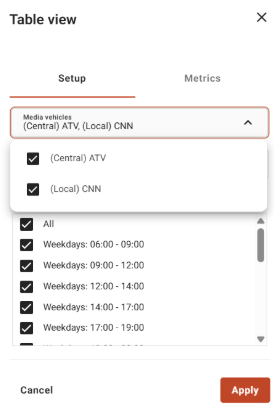
- You can also select a vehicle when configuring spot duration and dayparts
Ability to Copy and Paste Spots
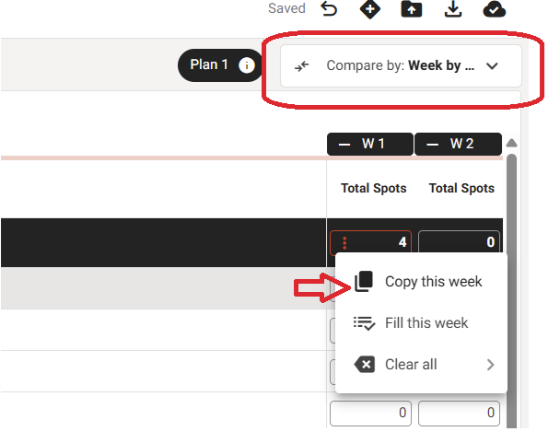
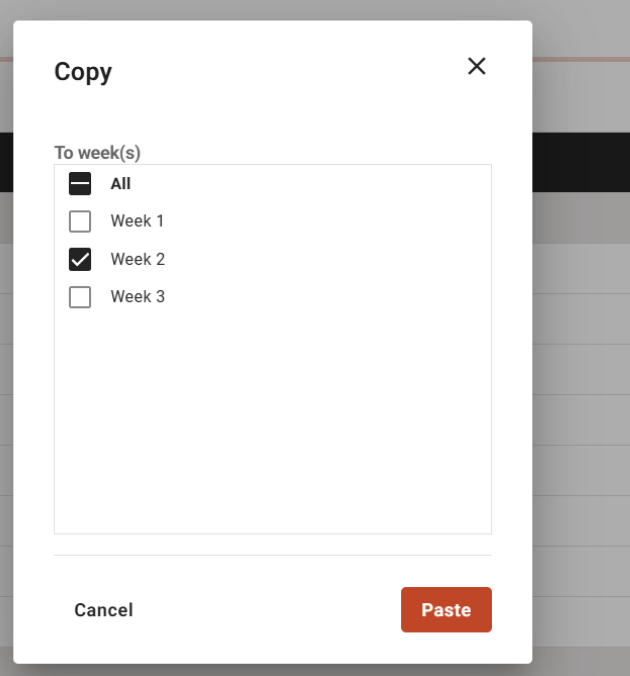
- Copy spots from one week to another using the following option:
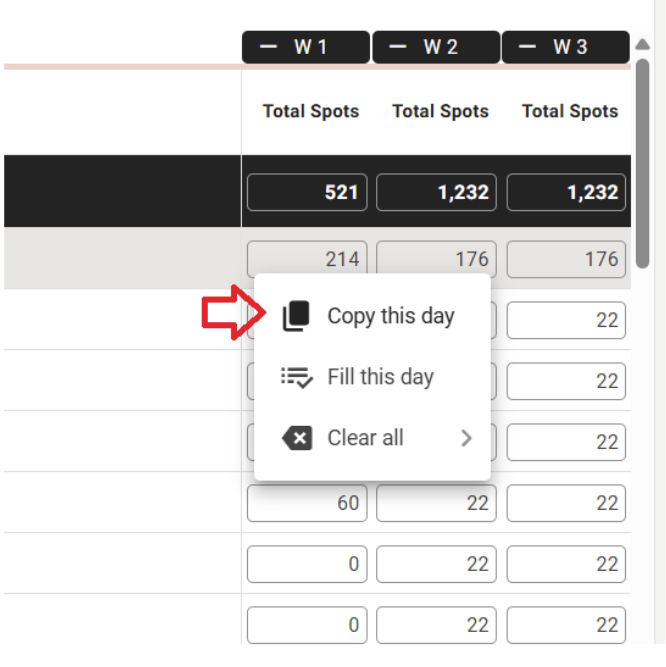
- Spots can be copied from one day to another day using the following option:
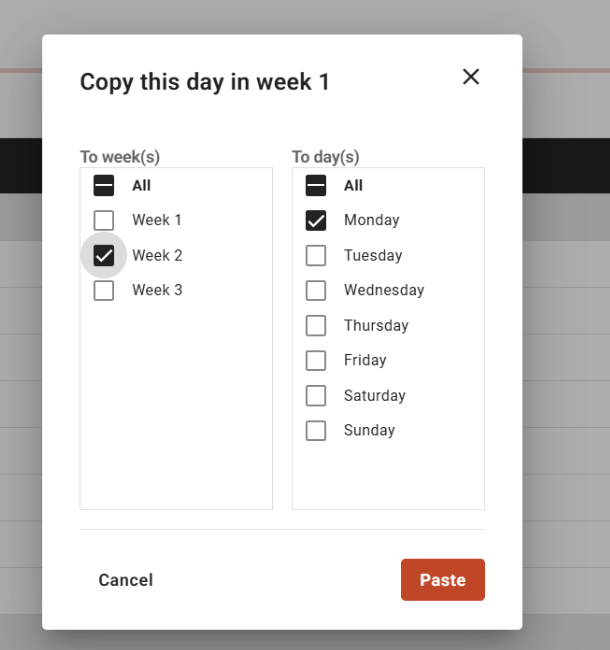
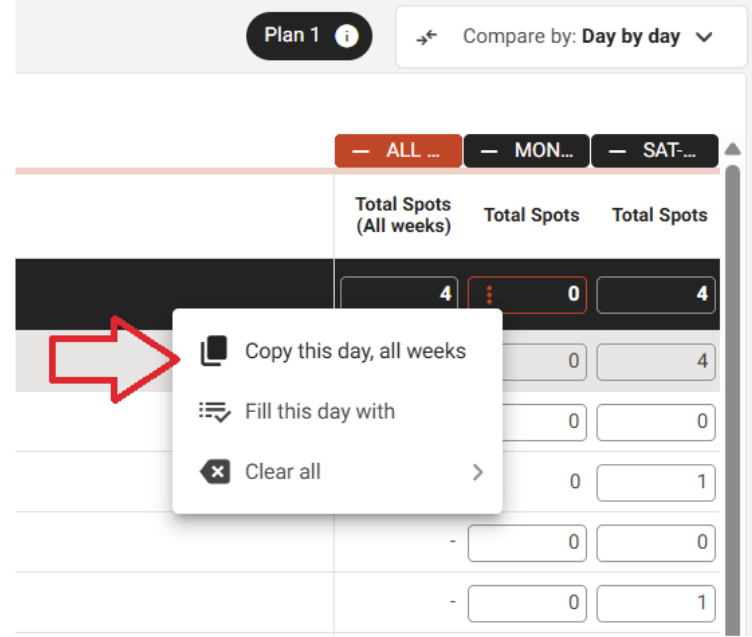
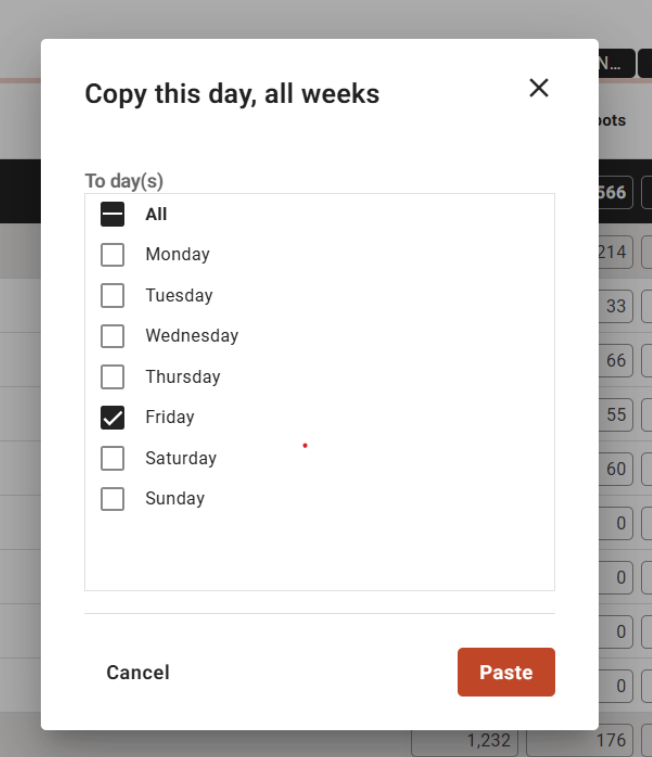
- Copy spots from one day to all weeks using this option:’
- ‘Copy this day, all weeks’
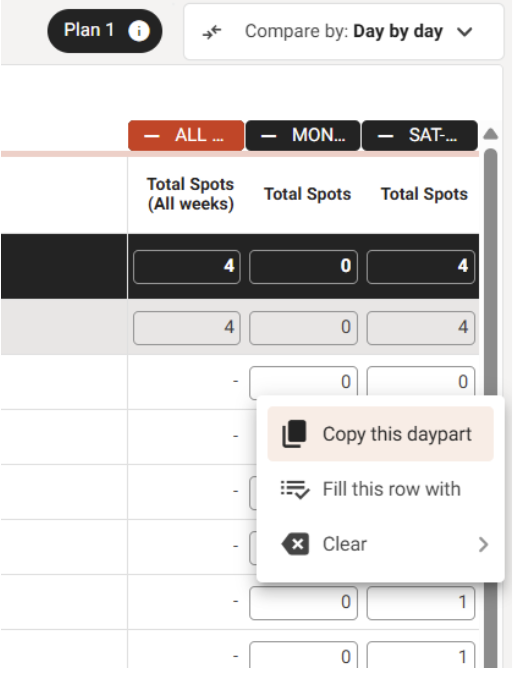
- Spots can be copied from one daypart to another
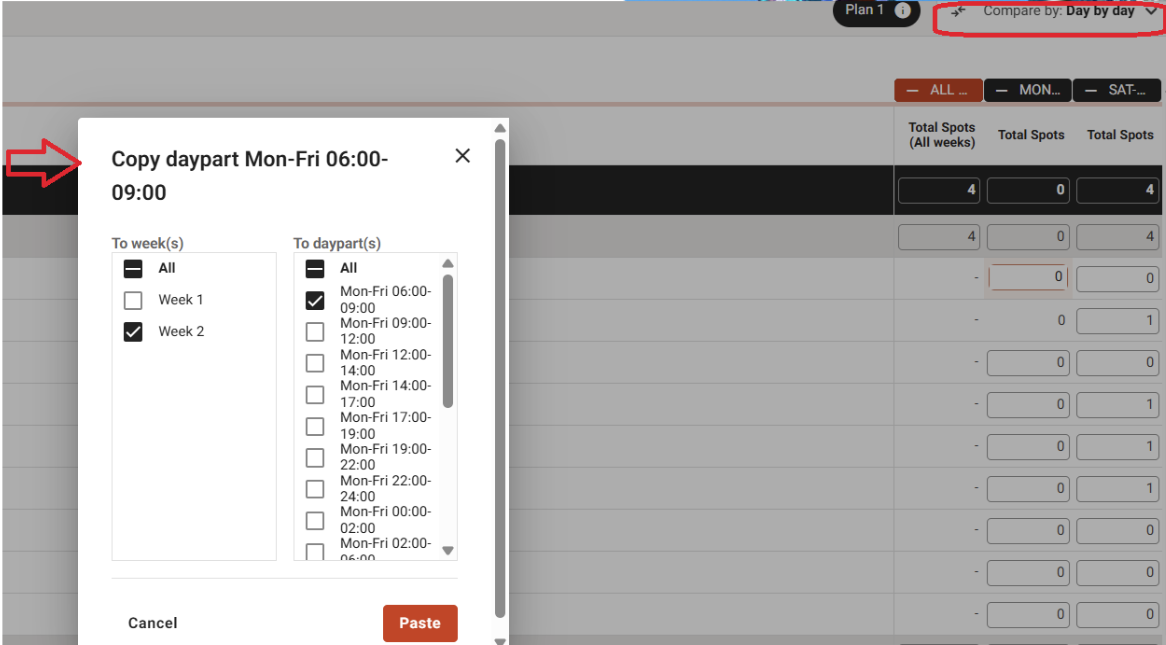
- Copy spots from one vehicle (station) to another vehicle using the options in ‘Compare by Day by Day’ or ‘Compare by: Week by Week’
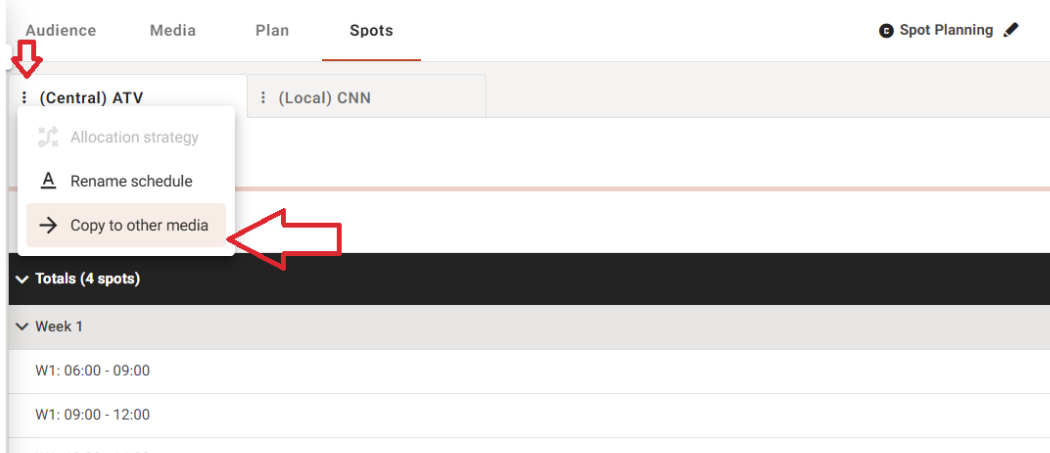
- User can access the following 'Copy to other media' option from the Source Station tab
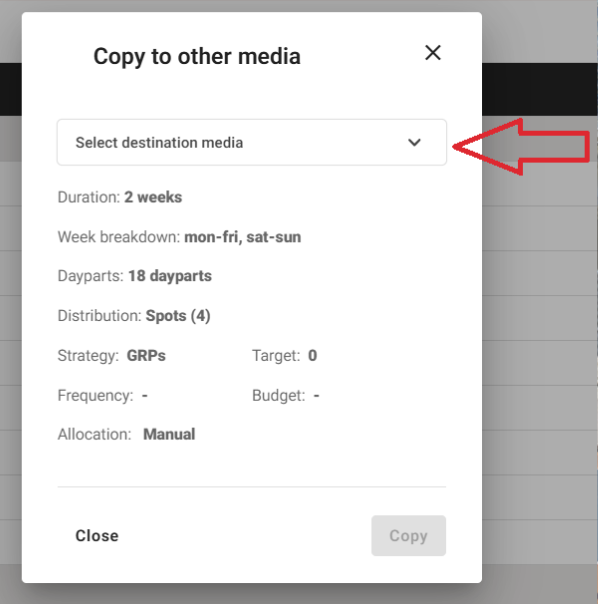
- On the “Copy to other media” modal, the user can select the destination vehicle (station)
- When you click Copy, the system copies spots from the source station to the destination station.
Ability to Copy Paste Spots from Excel/G-sheet into Spot columns
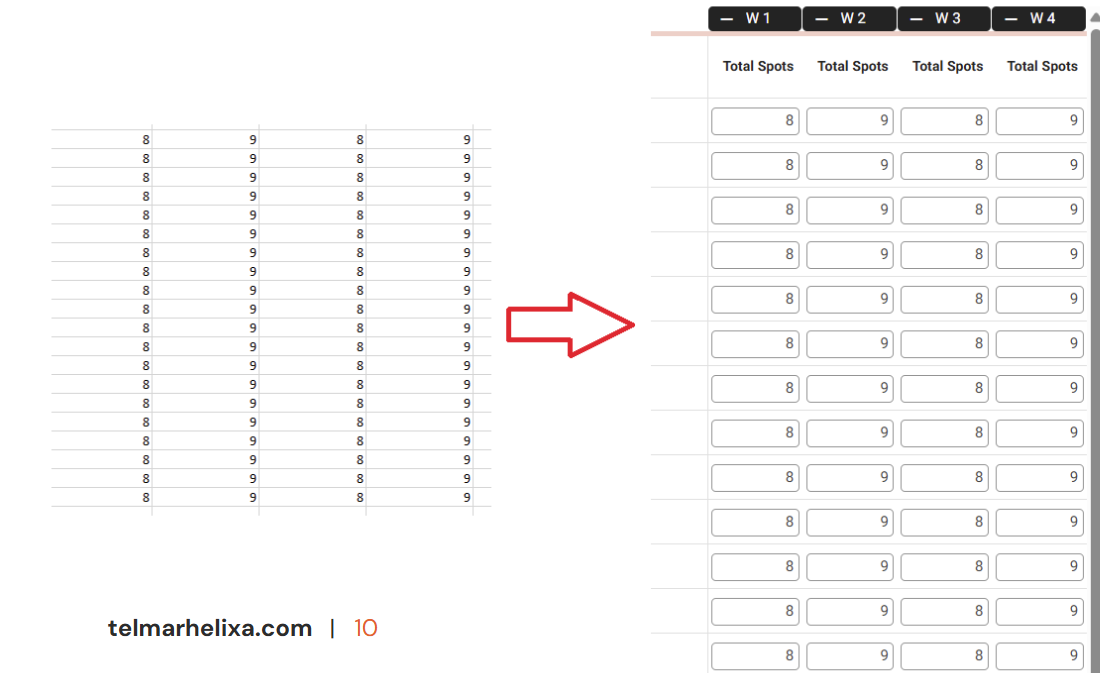
- Users can copy and paste spots from Excel or Google Sheets directly into spot columns.
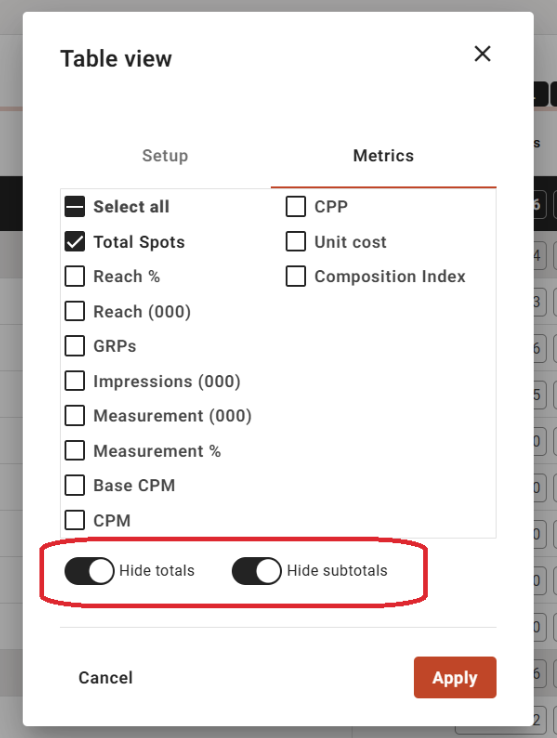
- You can hide and unhide totals and subtotals, which simplifies copying spots from Excel or Google Sheets.
Ability to clear spots
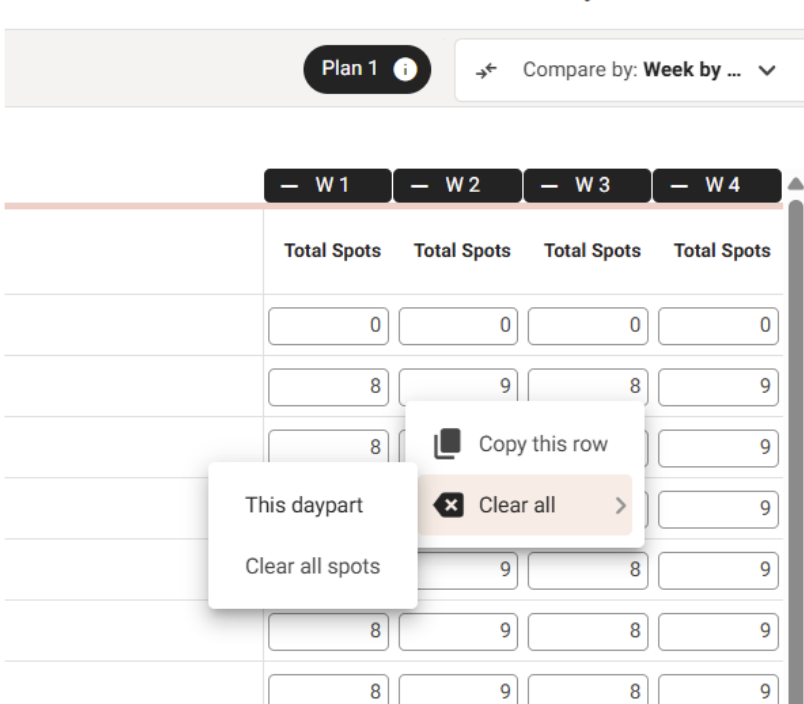
- User is able to clear spots as per the following options:
- This daypart: clears spots for a specific daypart
- Clear all spots: clears all spots
Ability to export Spot Plan
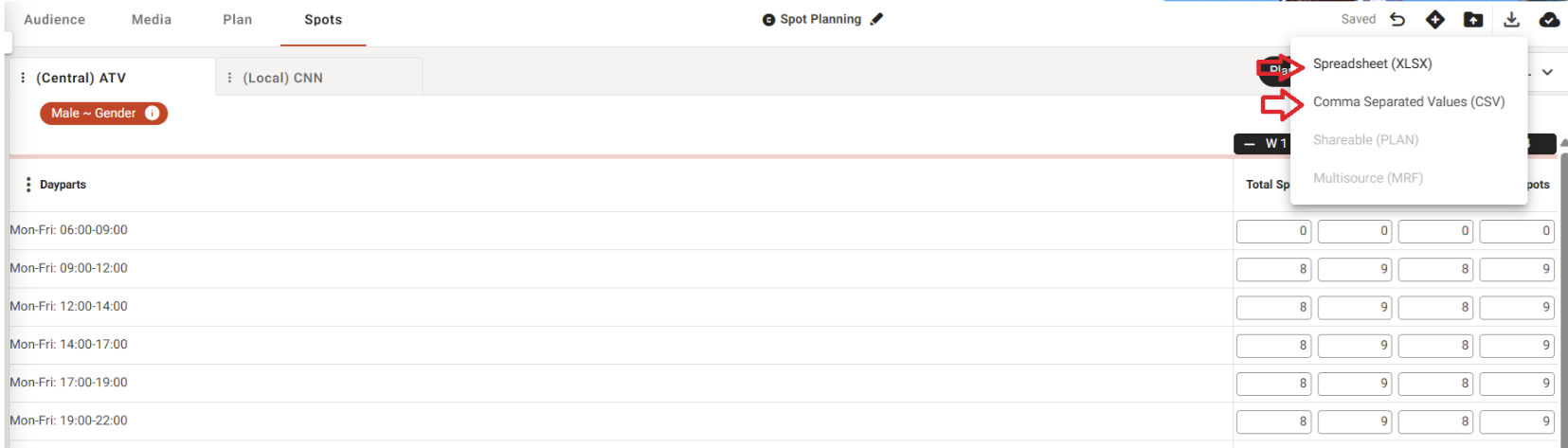
- You can now export Spot Plans using the following options:
- CSV
- XLXS
Spreading Feature
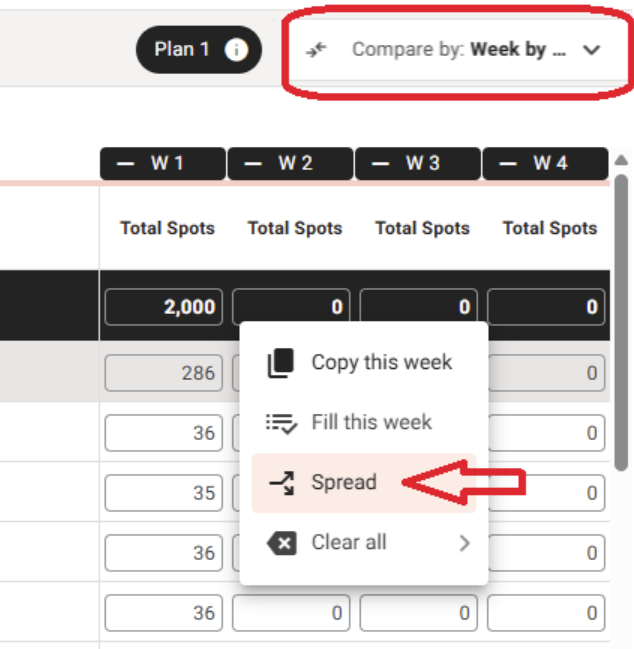
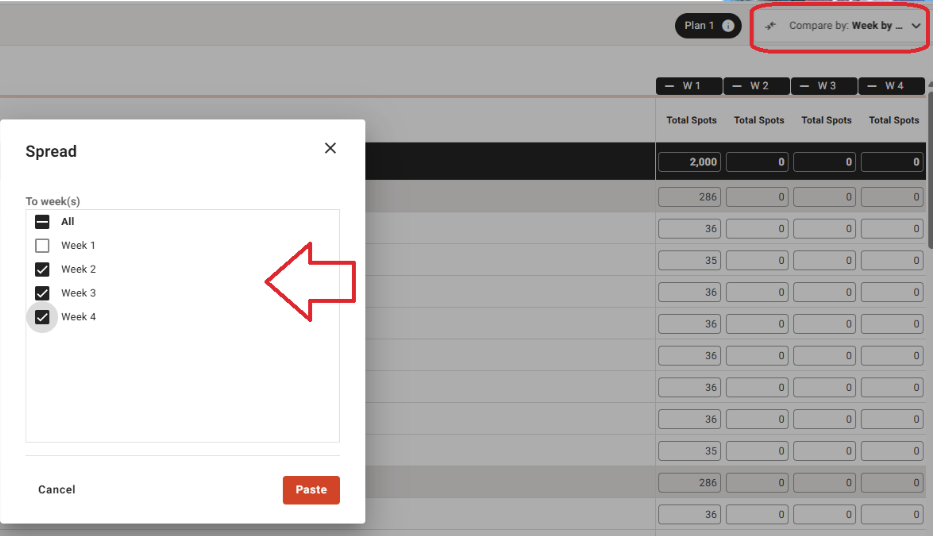
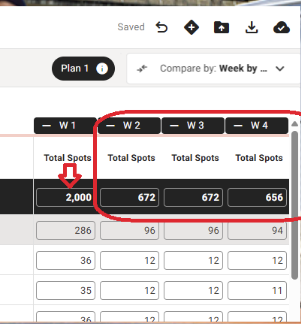
- PLAN now lets you spread Spots from one week to other week(s) via the "Week by Week" comparison.
- This matches the behaviour of Media Planner V1
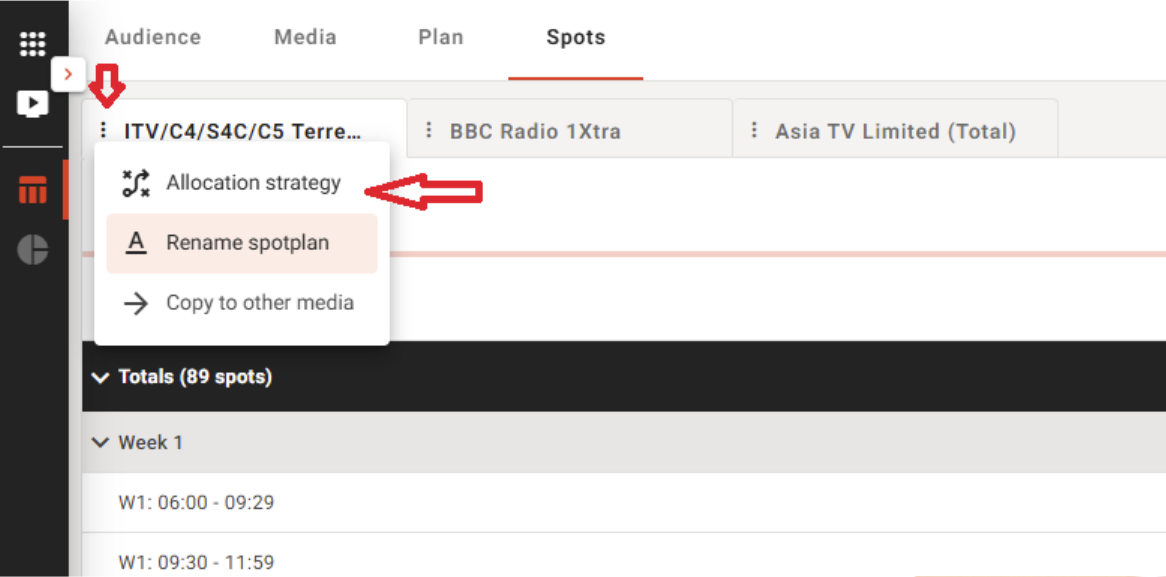
Allocation Strategy
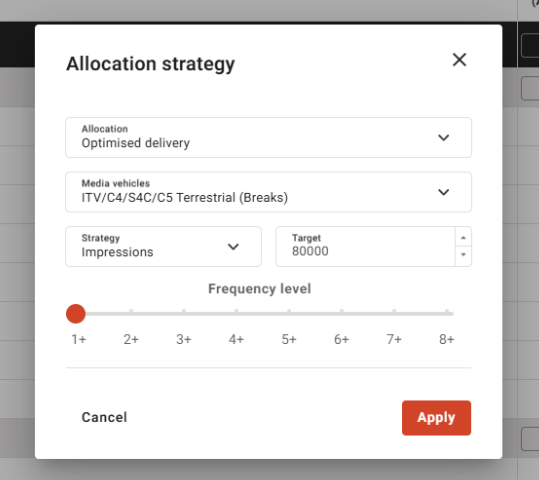
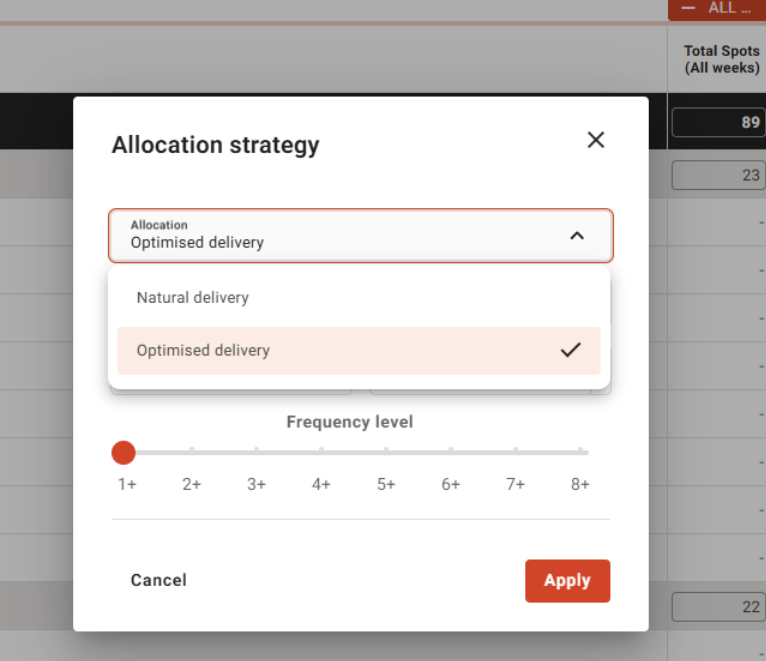
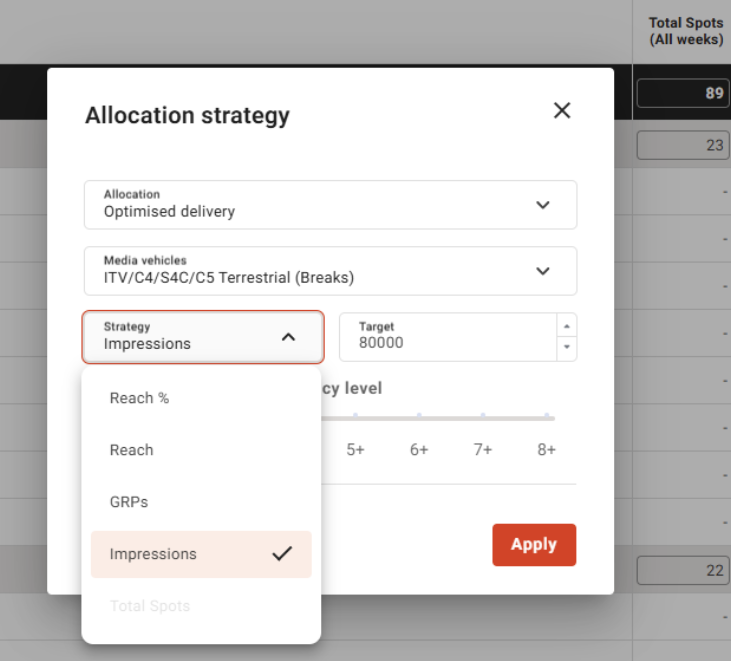
- For Spot planning, the user can select one of the following allocation strategies:
- Natural delivery
- Optimised delivery
- The user can also select one or more media vehicles when specifying strategy options